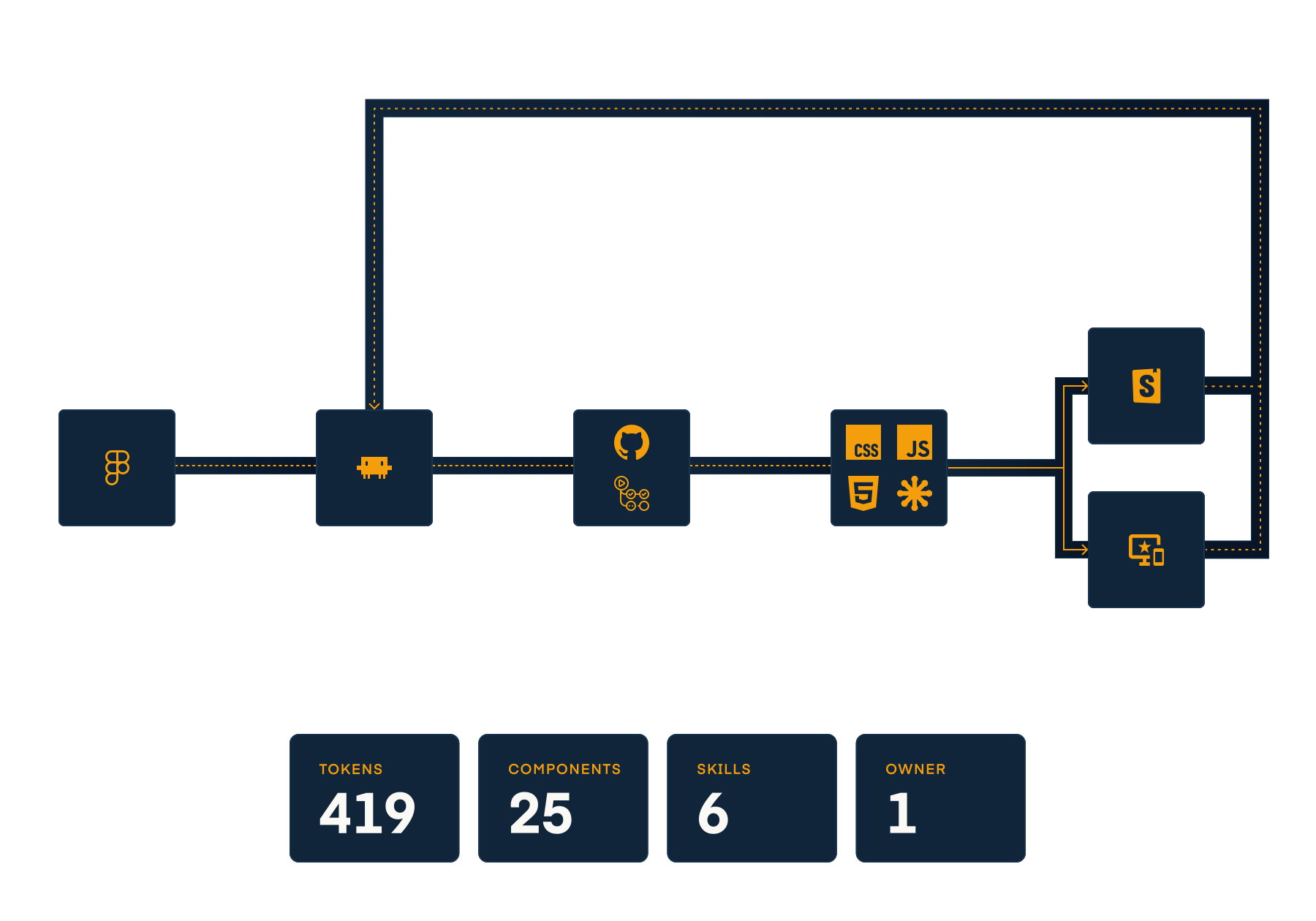
Figma to code, end to end: tokens, components, and an automated pipeline built with AI
Building a design system alone means the process has to do what a team would.
Product Designer · Personal · 2025–2026
Building a design system alone means the process has to do what a team would.
Product Designer · Personal · 2025–2026
This project is the portfolio itself. The brief was to rebuild adamdanielbest.com from scratch, design system first, then case studies on top of it. The real constraint was that I was working alone, without an engineer or a design system team, and the site needed to stay maintainable long after the initial build.
I decided early on that the right approach was to treat it like a real design system project rather than a personal site: tokens authored in Figma, exported to code, with a documented component library and an automated sync pipeline. If I was going to claim I could own a design system, I should be able to demonstrate one.
The technology choices were deliberate. Vanilla HTML, CSS and JavaScript, no framework. Working without a build layer meant every token binding, every cascade decision, every component boundary had to be explicit and correct. There was no abstraction to lean on.
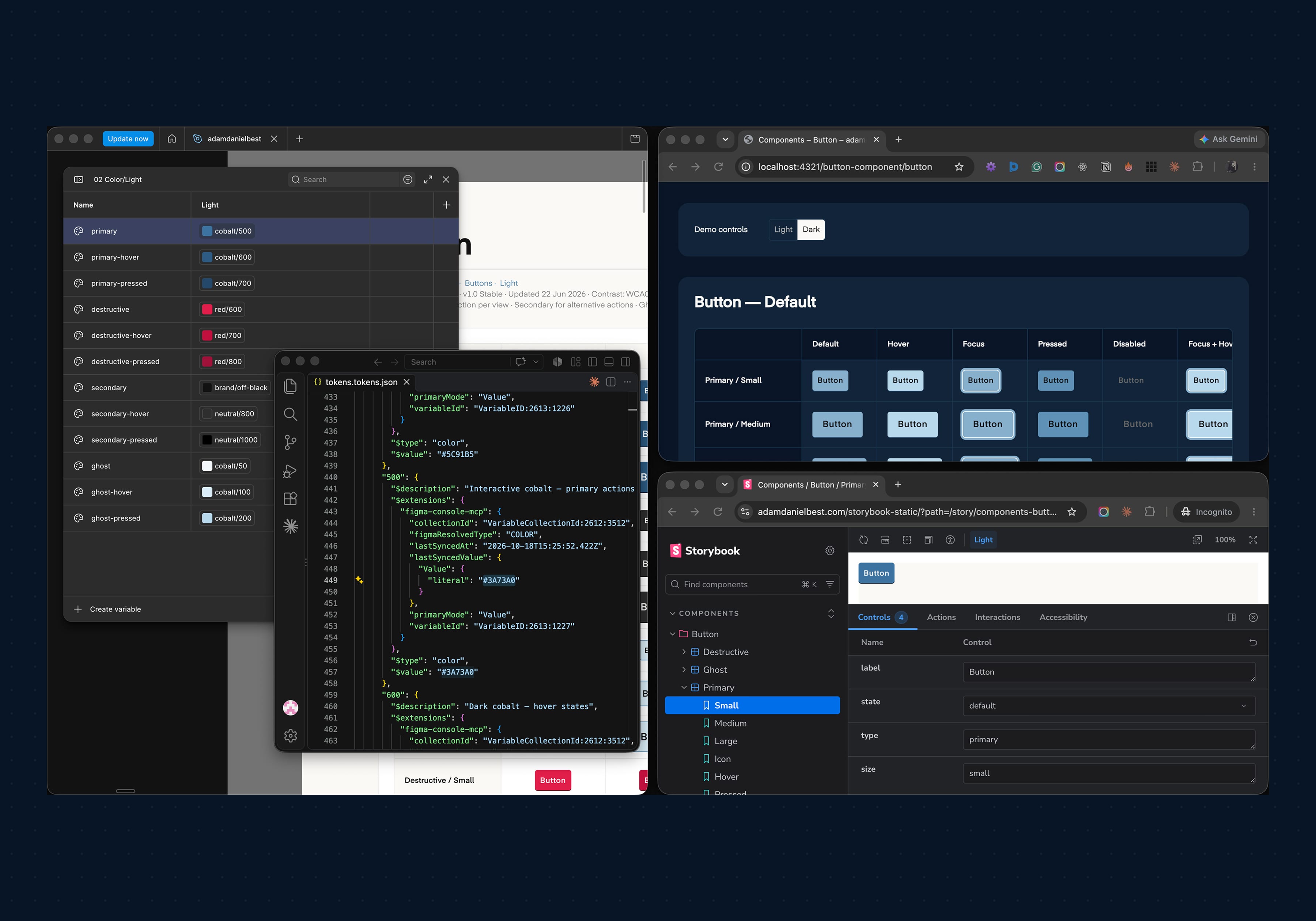
The foundation is a two-layer token system. Primitives define raw values: colour scales, spacing increments, type sizes, radius steps. Semantic tokens map those primitives to purpose: background/page, text/primary, border/default. Most components reference semantic tokens directly; component-level tokens are the exception.
Tokens are authored in Figma as variable collections, exported in DTCG (Design Token Community Group) format, then transformed into CSS custom properties by a generation script. The two-layer structure means a theme change touches one place, the semantic mapping, rather than every component stylesheet.
The main technical problem was a cross-collection alias bug in the Figma export tool. Semantic tokens that referenced primitives across variable collections were being exported as broken aliases. I diagnosed it, wrote a patch script that resolves the aliases at export time, and wired it into the pipeline so it runs automatically before the CSS is generated. It has not needed manual intervention since.
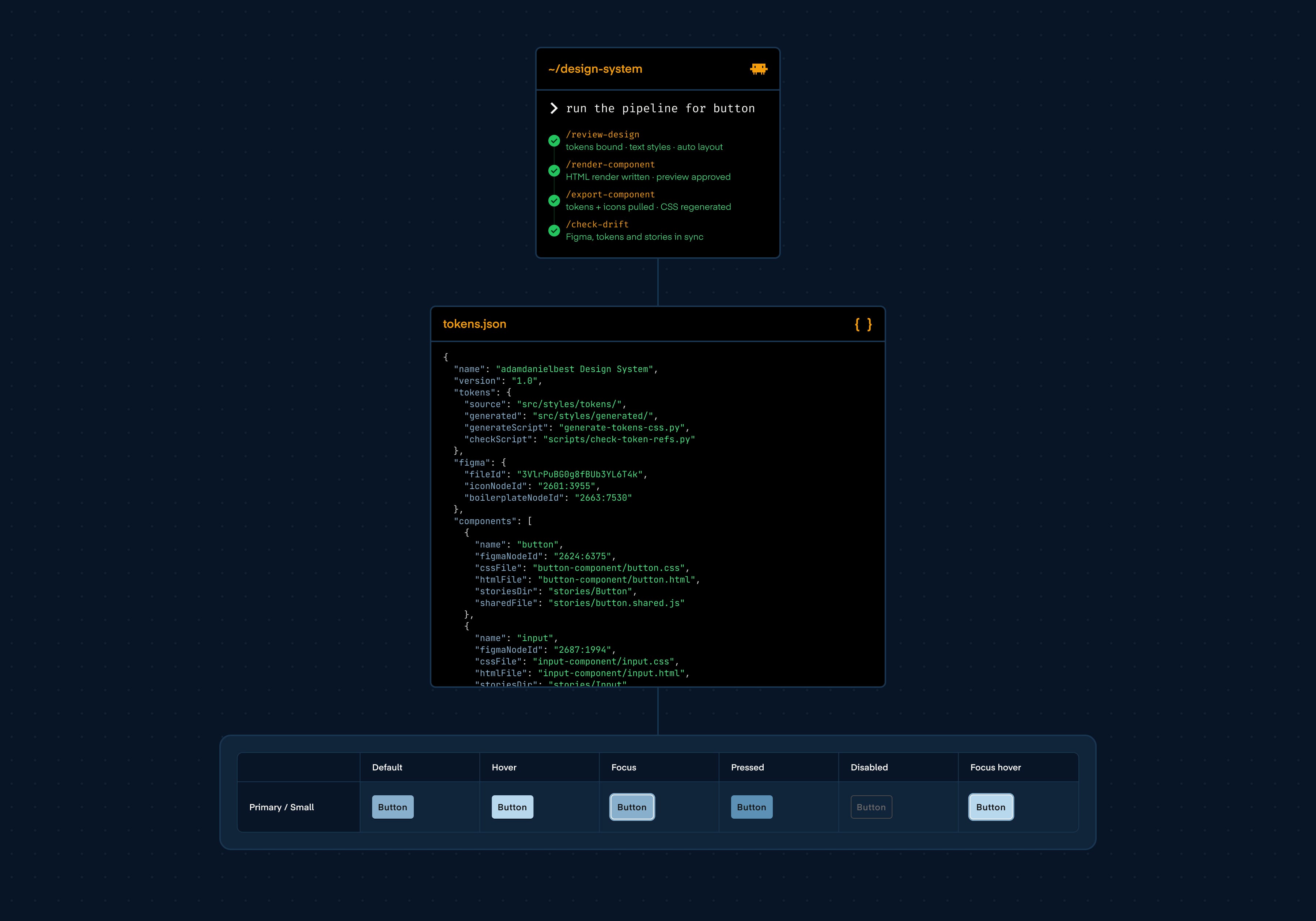
Before any component work could begin, the project needed a config layer that every skill and automation could reference. This lives in two places. design-system.json is the component registry: every component's name, Figma node ID, CSS file path, Storybook directory and shared file are registered there. CLAUDE.md defines the standards and constraints Claude works within: naming conventions, token usage rules, what counts as a blocking error, what can be auto-fixed. Writing them is product design work: defining a process, encoding decisions, and specifying what the system should refuse to do as clearly as what it should do.
With that foundation in place, a /setup-project skill bootstraps a new project: reads the Figma file, discovers component sets, populates the registry, and scaffolds the directory structure. From there, the component pipeline runs in sequence.
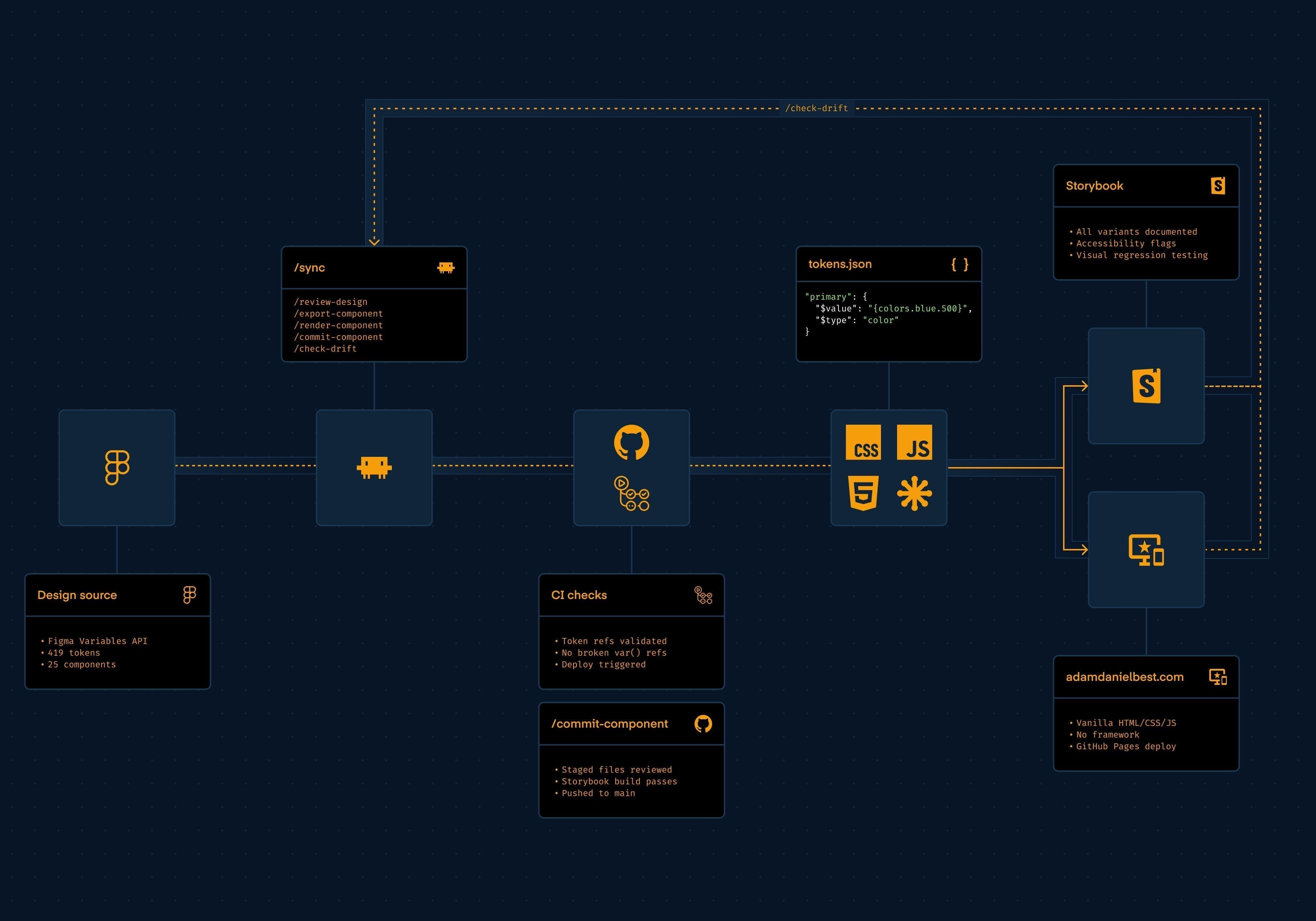
/sync orchestrates the complete downstream flow. It starts with /review-design, a design audit that walks the Figma component tree before any code is touched. It checks every fill, stroke, spacing and radius value for variable bindings, flags scope mismatches where a token is used outside its intended purpose, and catches colour contrast issues in both light and dark modes. Unbound values and accessibility failures are resolved in Figma before the export runs. Design problems are caught at source rather than after they have propagated into CSS.
From there, /export-component exports tokens in DTCG format, runs the patch script, regenerates CSS and checks for stale icon sprite references. /render-component reads the Figma variant structure and writes the render function. Before anything is committed, the component is previewed in a local server with a working light and dark mode toggle. Every variant and state is tested interactively: hover, focus, disabled, responsive breakpoints. This preview step is a required gate; nothing can be committed before it passes. /check-drift then compares Figma against code across token definitions, component CSS and Storybook story coverage, routing to the correct re-entry point if anything is out of line.
Before this pipeline existed, each component required manual Figma inspection, token cross-referencing, file editing, sprite management and story scaffolding. That took the better part of a day per component. The pipeline reduces execution to minutes; the time now goes into review and design decisions, which is where it should be. 25 components and 419 tokens are maintained this way, by one person, without a dedicated engineer.
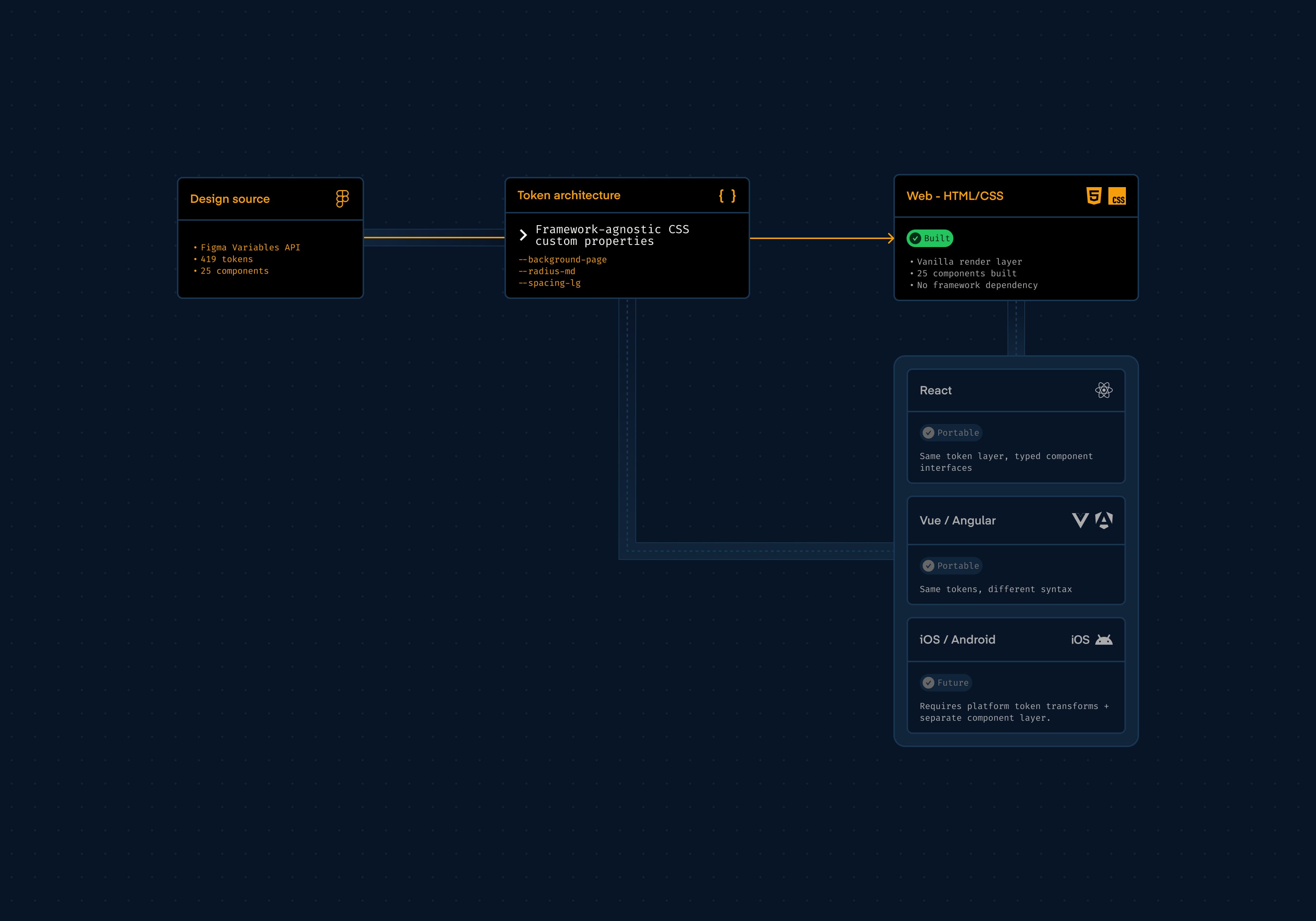
This is a web design system. Tokens are CSS custom properties; components are HTML with scoped stylesheets. There is no native layer: no consideration for iOS or Android rendering at this stage. That is a deliberate scope decision, not an oversight. A native extension would require platform-specific token transforms and a separate component layer. That is a future iteration with its own pipeline, not a retrofit.
Not every component in the library appears in the portfolio itself. The User Interface (UI) set was deliberately expanded beyond what the site required: form inputs, selects, checkboxes, toggles, radio buttons, tables. Each introduces different rules: native element resets, keyboard interaction patterns, accessibility requirements, state complexity. The pipeline had to handle all of it. Building components the portfolio did not strictly need was a way of stress-testing the system against the kind of variety a real product would generate, rather than optimising for a controlled set of cases.
The render layer is intentionally low-level. Components are written in Vanilla HTML and JavaScript rather than a framework. This was a choice to work directly with the web platform: every token binding, every cascade, every component boundary is explicit. The token architecture, the DTCG format, the semantic naming conventions, the variant model, all of it is framework-agnostic. The same token layer works in a React, Vue or Angular codebase. The same component API decisions, variant axes, state props, composition patterns, translate directly into typed component interfaces regardless of the library. The render syntax changes; the design decisions do not.
/review-design audit catches unbound tokens and accessibility issues before CSS is generated